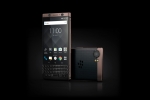
Many users want to check their Gmail account via their Blackberry. Although you could follow Gmail's instructions for retrieving the email with your Blackberry, it is our belief that is a much better experience to simply enable Gmail's forwarding feature.
Simply go to Settings -- Forwarding and Pop within Gmail to tell Gmail to forward your email to your Blackberry's address. Simply choose "Forward a copy of incoming mail to..." and enter your BB's email address.
This will provide you with instant push email through your Gmail address. Very simple, but very effective!
Simply go to Settings -- Forwarding and Pop within Gmail to tell Gmail to forward your email to your Blackberry's address. Simply choose "Forward a copy of incoming mail to..." and enter your BB's email address.
This will provide you with instant push email through your Gmail address. Very simple, but very effective!