

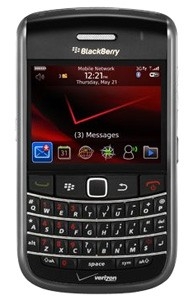
Are you frustrated by not being able to get to all your BlackBerry messages and therefore you always have unread messages? You can mark all of your messages read by following these easy steps:
Go to the Messages folder
Hit the "T" key to get to the top of the list
Click the Menu Key
Select "Mark Prior Opened"
Hit the confirmation
All done
How To mark all messages read in BlackBerry Messages
|
|
|
blog comments powered by Disqus
 | Apple Changes Stance On Cleaning iPhone's Display - Coronavirus |
 | Get an extra 1GB of FREE zero knowledge cloud storage |
 | iOS Contacts App Keeps Crashing - Fixed! |
 | Google removes porn malware apps from the Play Store |
 | BlackBerry announces two new phones for the US |
 | iTunes Playlists not syncing with iOS 11 - FIXED |

 | Rebuilt silver VW T25 4 berth camper |
 | Custom Dash Cup Holders |
 | Rear bucket seats |
 | High Top with Extra Bed? |
 | Orange and Black Syncro Never Looked So Good |
 | ||||||||||||
|


