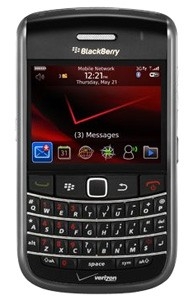
BlackBerry users can use custom pictures for their home screen wallpaper without having to change themes.
You can get your picture to your BlackBerry by connecting your phone to your computer and mounting it as a drive.
Then, simply find the media folder icon and then go to the pictures icon. If you've moved your pictures to your BlackBerry, choose the folder that contains the picture you’d like to set as your background image. Find the picutre you want to use and press the "menu" key. From that menu choose "set as home screen image" and you're done. Go back to your home screen and view your new wallpaper.
You can get your picture to your BlackBerry by connecting your phone to your computer and mounting it as a drive.
Then, simply find the media folder icon and then go to the pictures icon. If you've moved your pictures to your BlackBerry, choose the folder that contains the picture you’d like to set as your background image. Find the picutre you want to use and press the "menu" key. From that menu choose "set as home screen image" and you're done. Go back to your home screen and view your new wallpaper.